Town Network
Everyone passes through here. The barrel's "Angry Ale" label, the portal swirls, the brick and the cobblestones all sharpen, and so does your own armor.
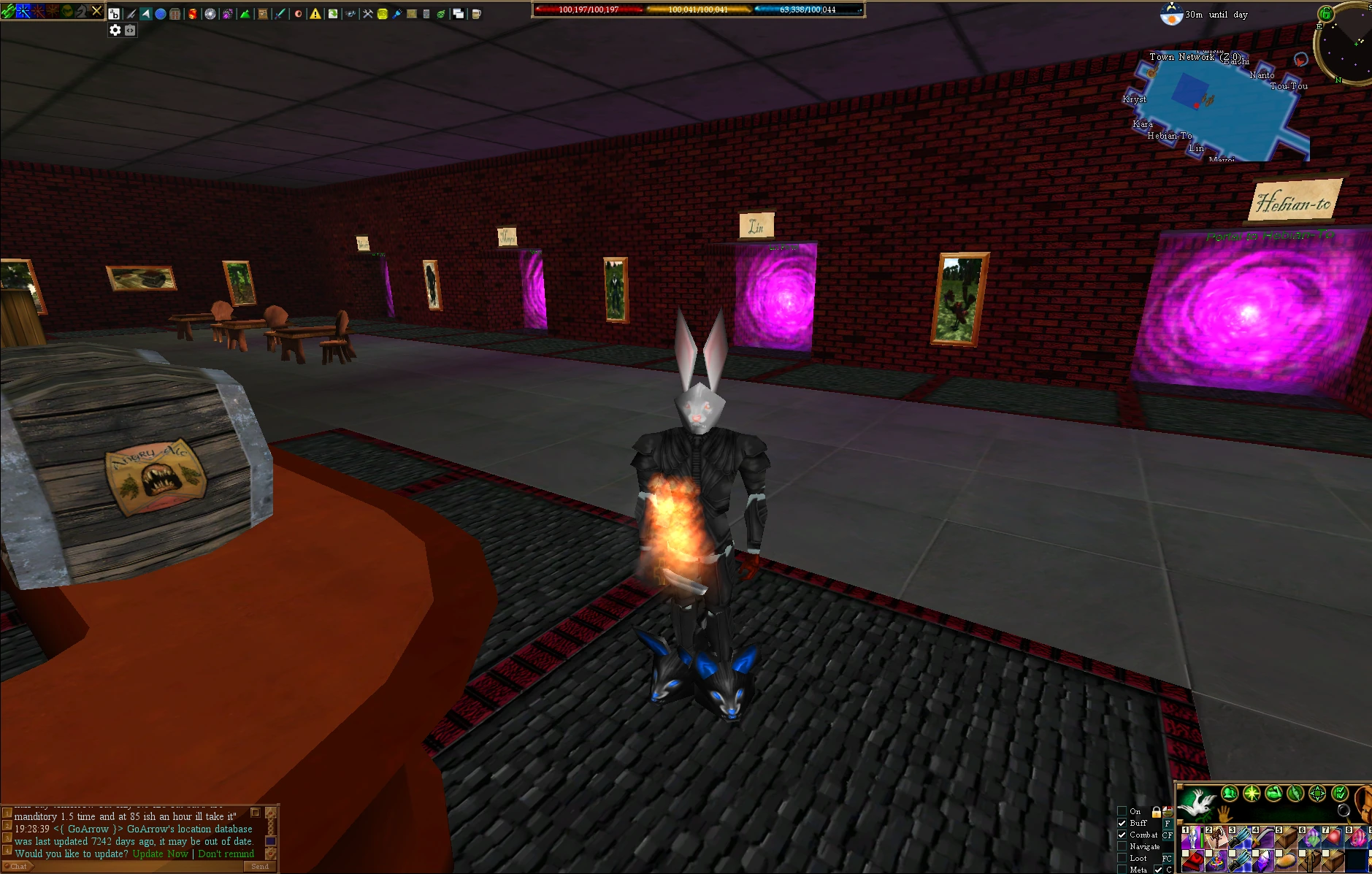
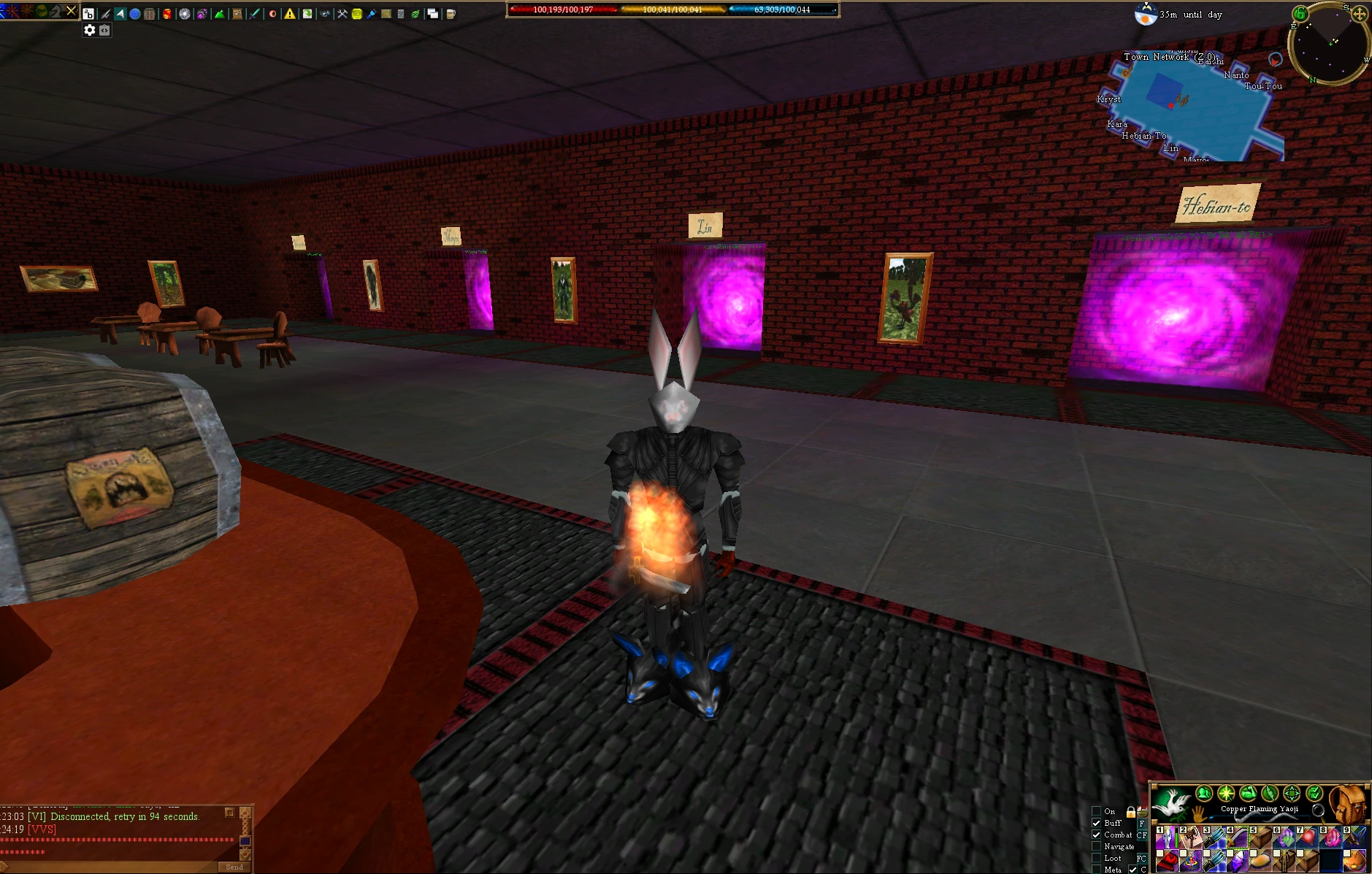 OriginalAC-HD
Close-ups
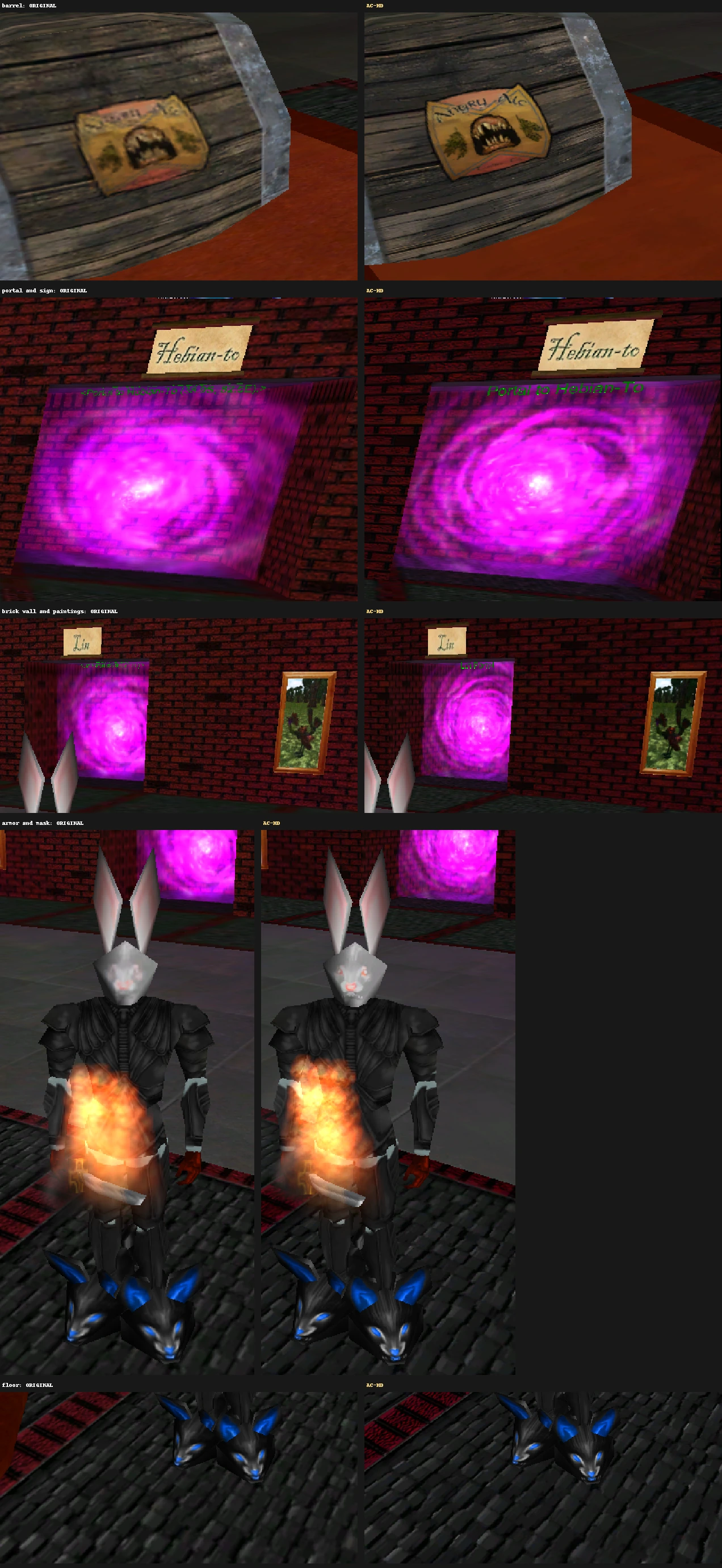
AC-HD · version 1.0
Works on every end-of-retail server. Nothing for server admins to do.
Every creature, suit of armor, building, dungeon and blade of grass at twice the resolution. Install by copying four files; undo by copying the originals back.
Free · ThwargLauncher or Vitaeum · no installer, just the game files
 OriginalAC-HD
Why it's different
Servers have tried custom dat files before. But once you install one server's files, you have to swap back to the end-of-retail files to play anywhere else. So nearly every server sticks to end of retail, and Asheron's Call has looked the same for over twenty years.
AC-HD only touches textures. Version numbers and all gameplay data stay exactly end of retail, so servers see a normal retail client.
It's entirely on your PC. Servers need no changes, no patches and no permission, and nothing changes for other players.
Two buttons swap between AC-HD and the original textures instantly, and uninstalling puts your original files back. In Vitaeum, each launch row can use its own files.
See the difference
Real in-game screenshots, taken before and after installing. Move across each one to compare.
Everyone passes through here. The barrel's "Angry Ale" label, the portal swirls, the brick and the cobblestones all sharpen, and so does your own armor.
OriginalAC-HD
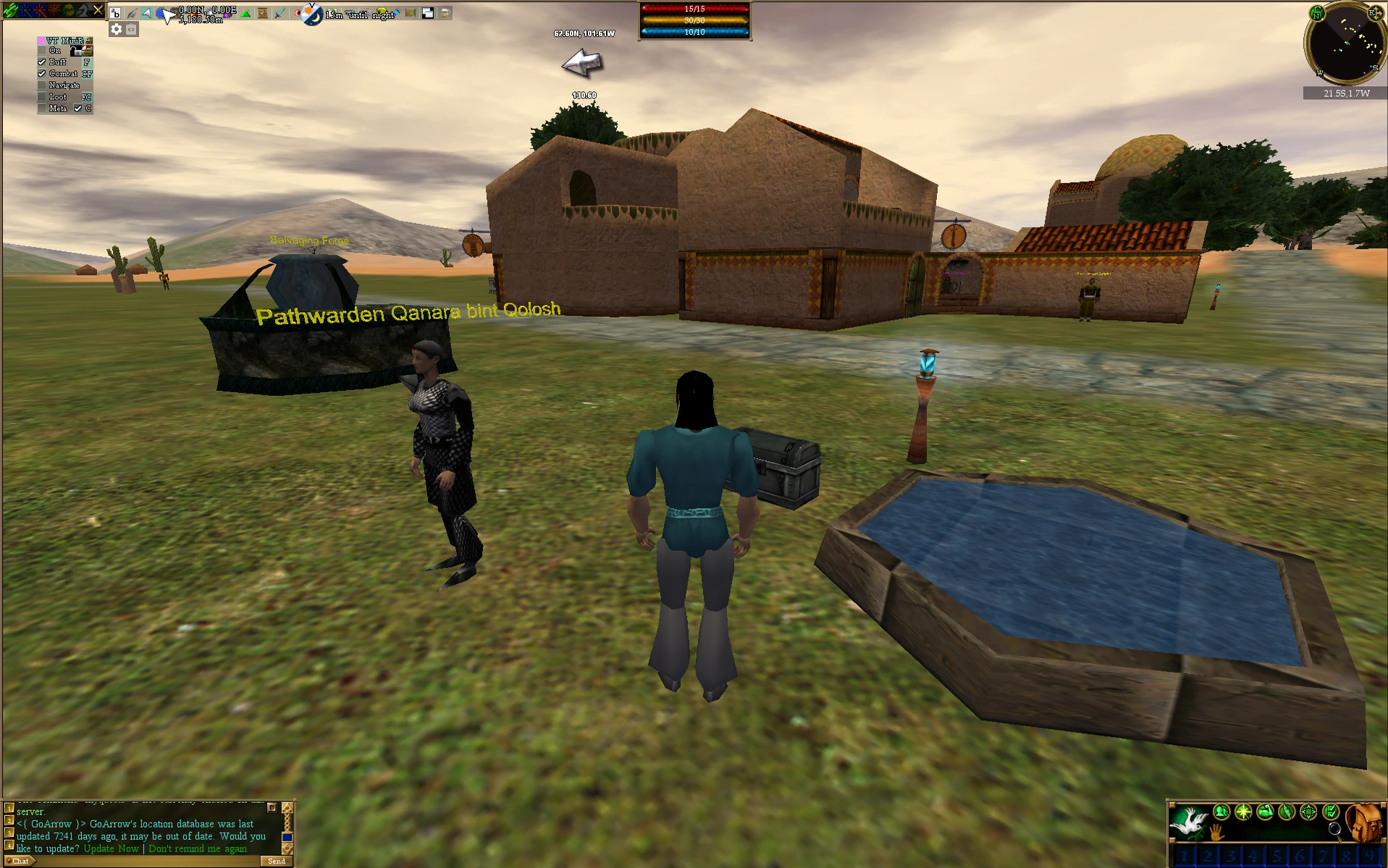
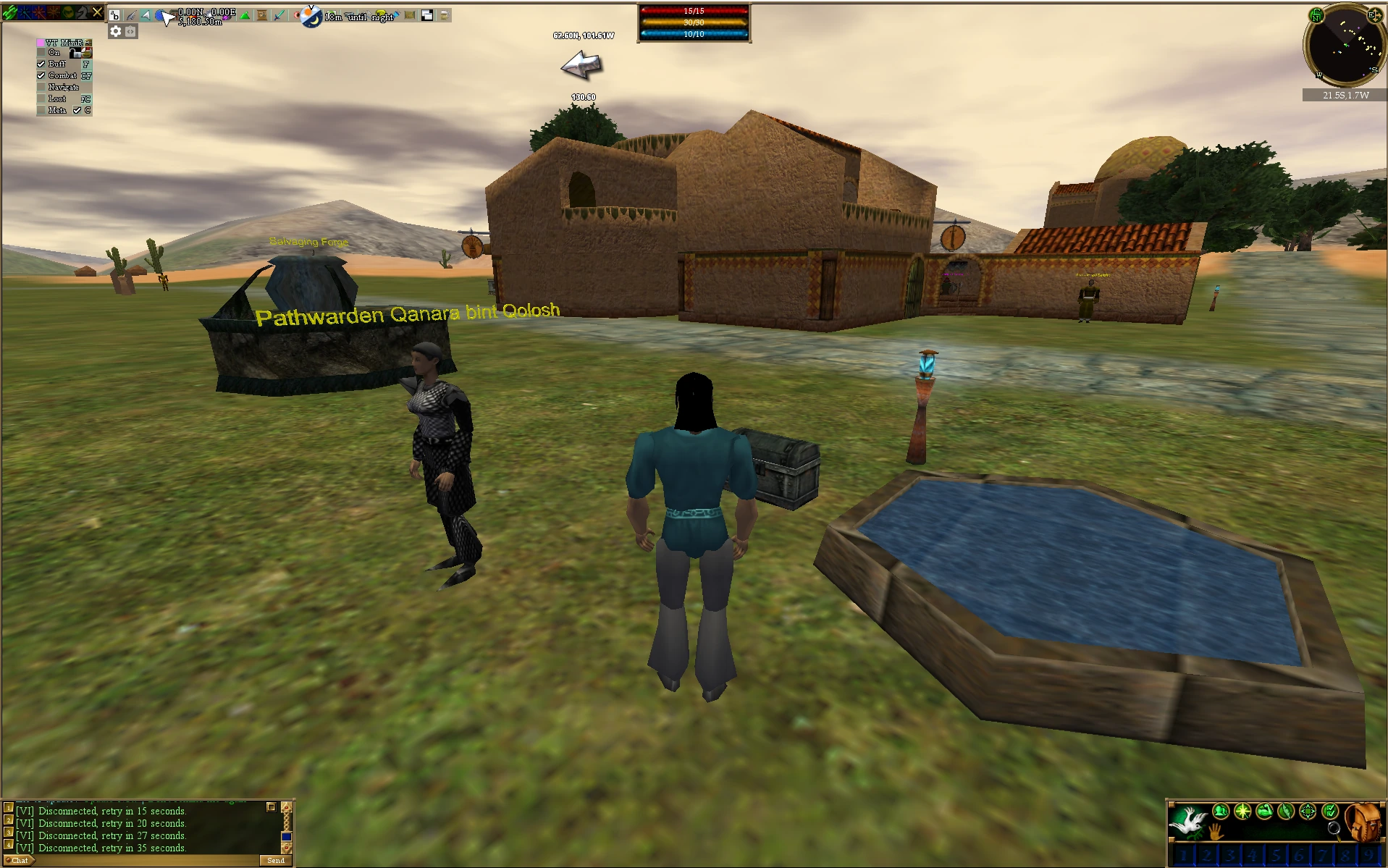
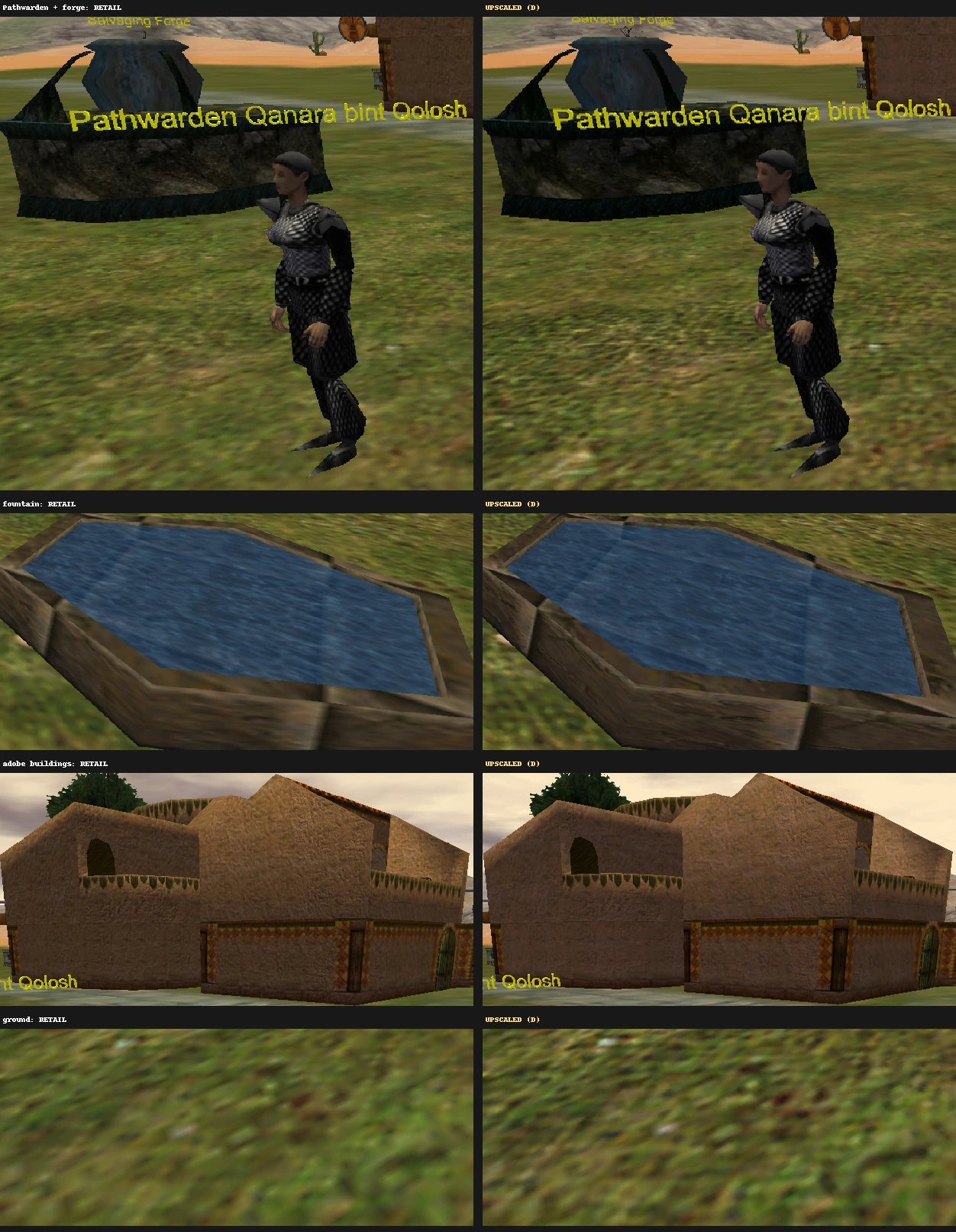
Chainmail you can count the links in, a forge with real stonework, and plaster you can see on the adobe walls.
 OriginalAC-HD
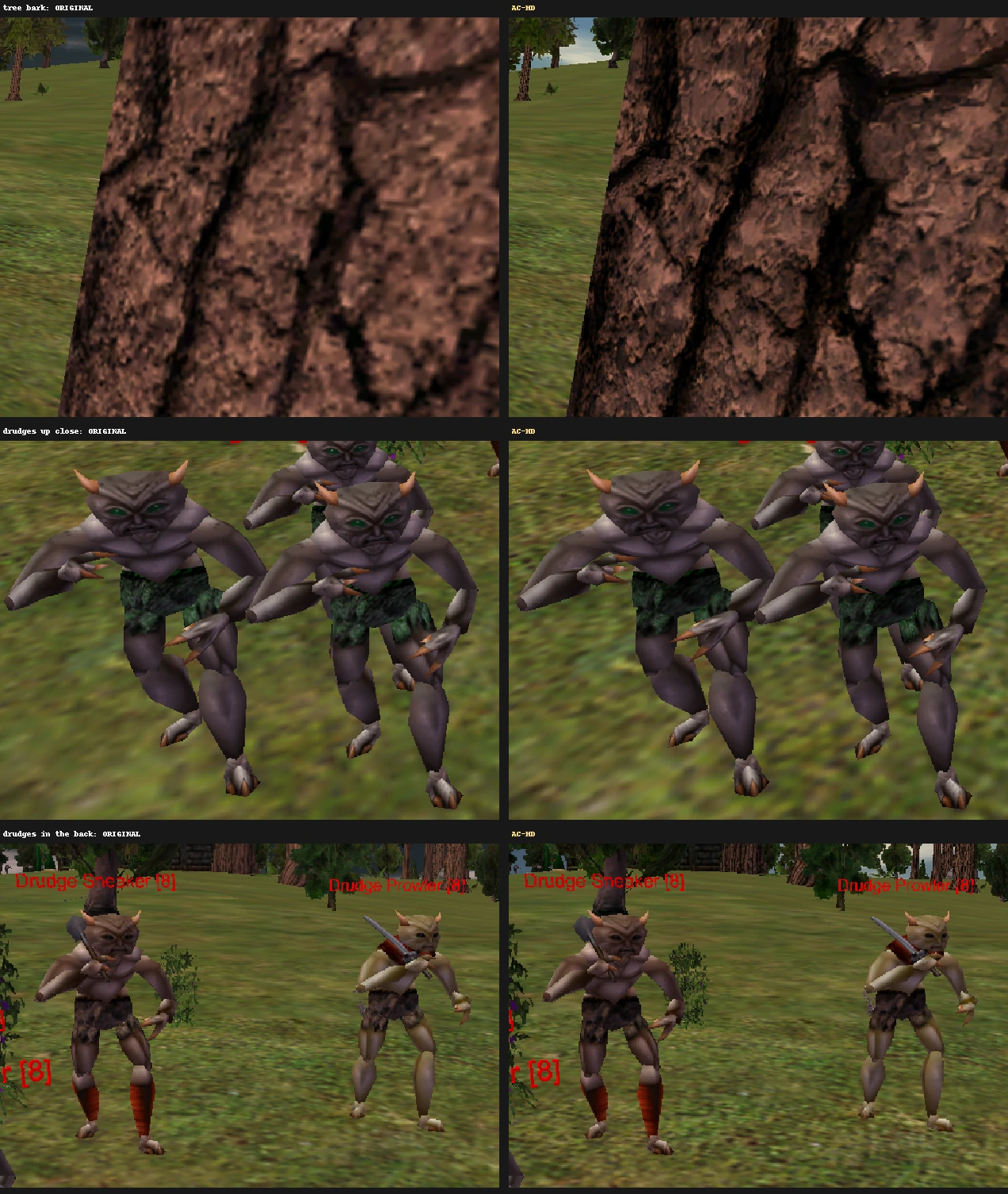
A pack of drudges by an old pine. Look at the bark: real cracks and grain instead of a brown smudge, plus crisper loincloths and weapons on the drudges.
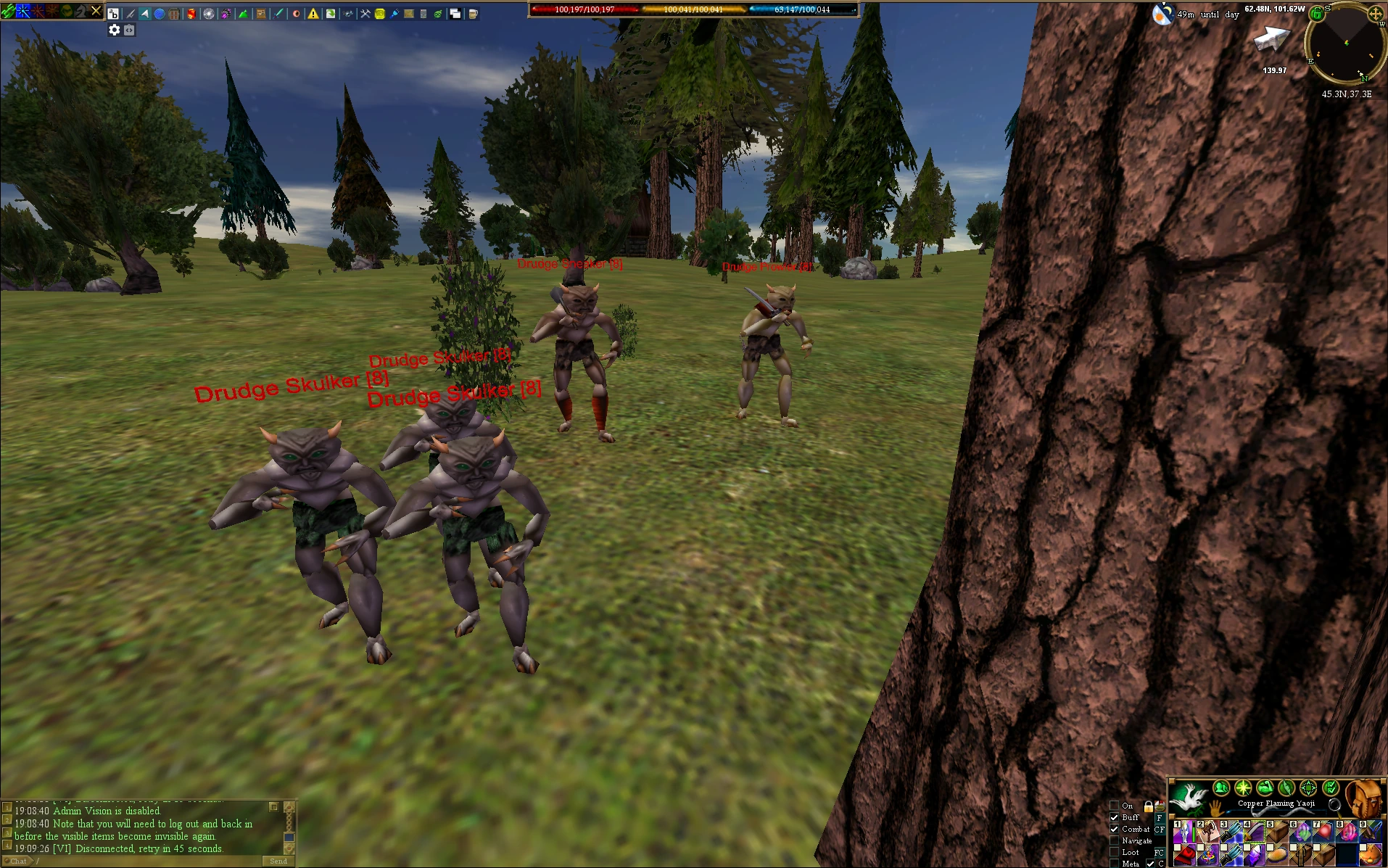
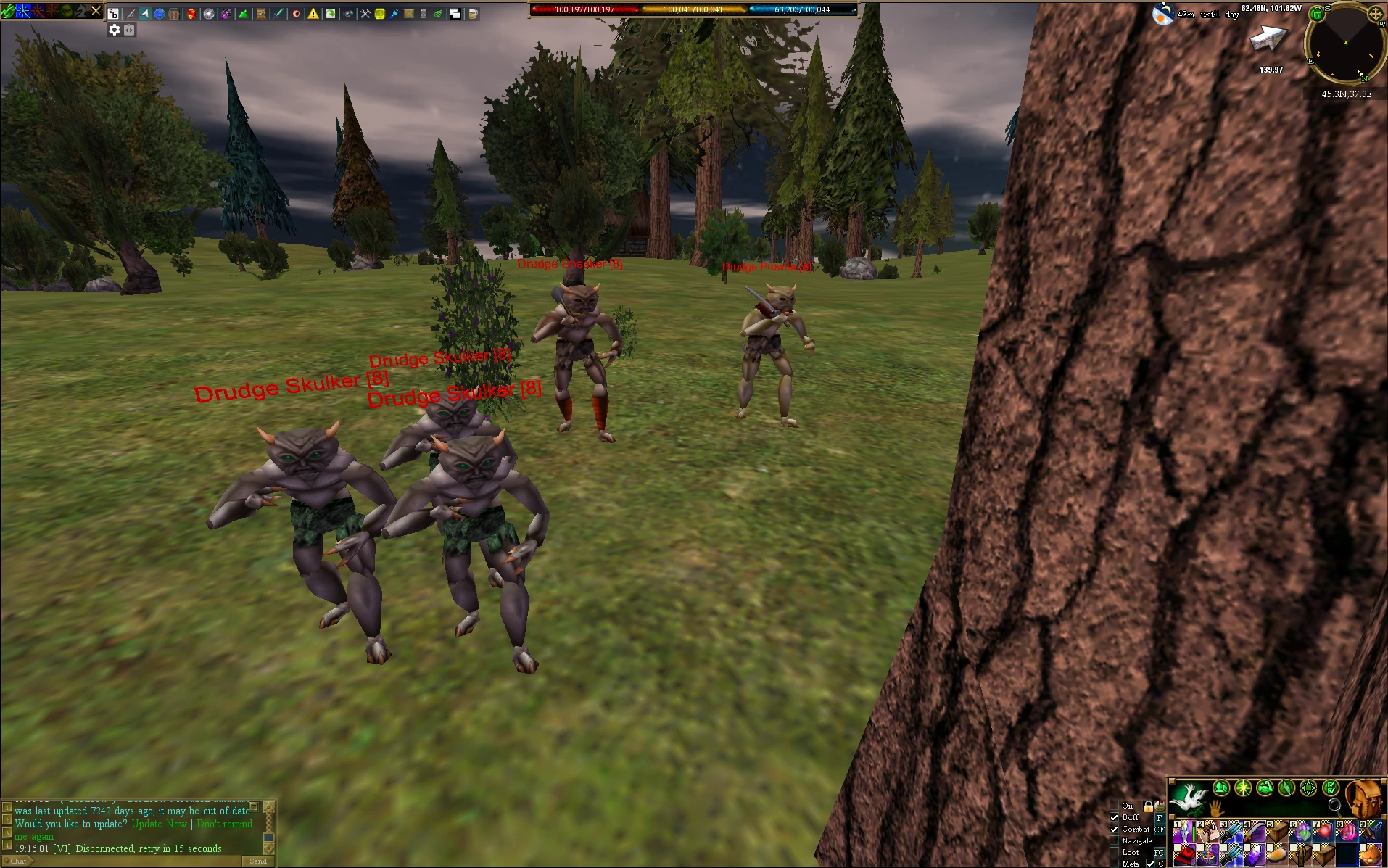 OriginalAC-HD
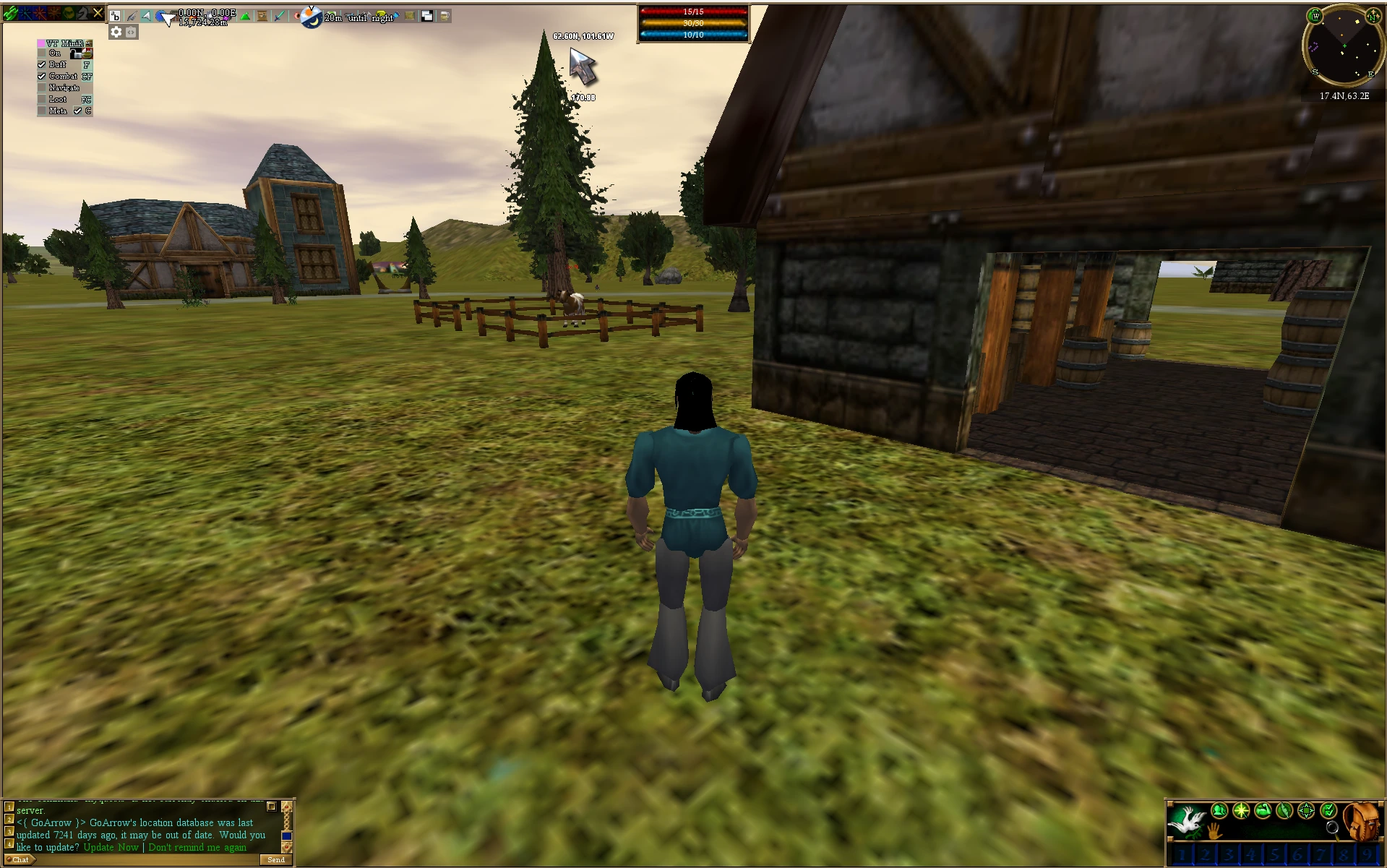
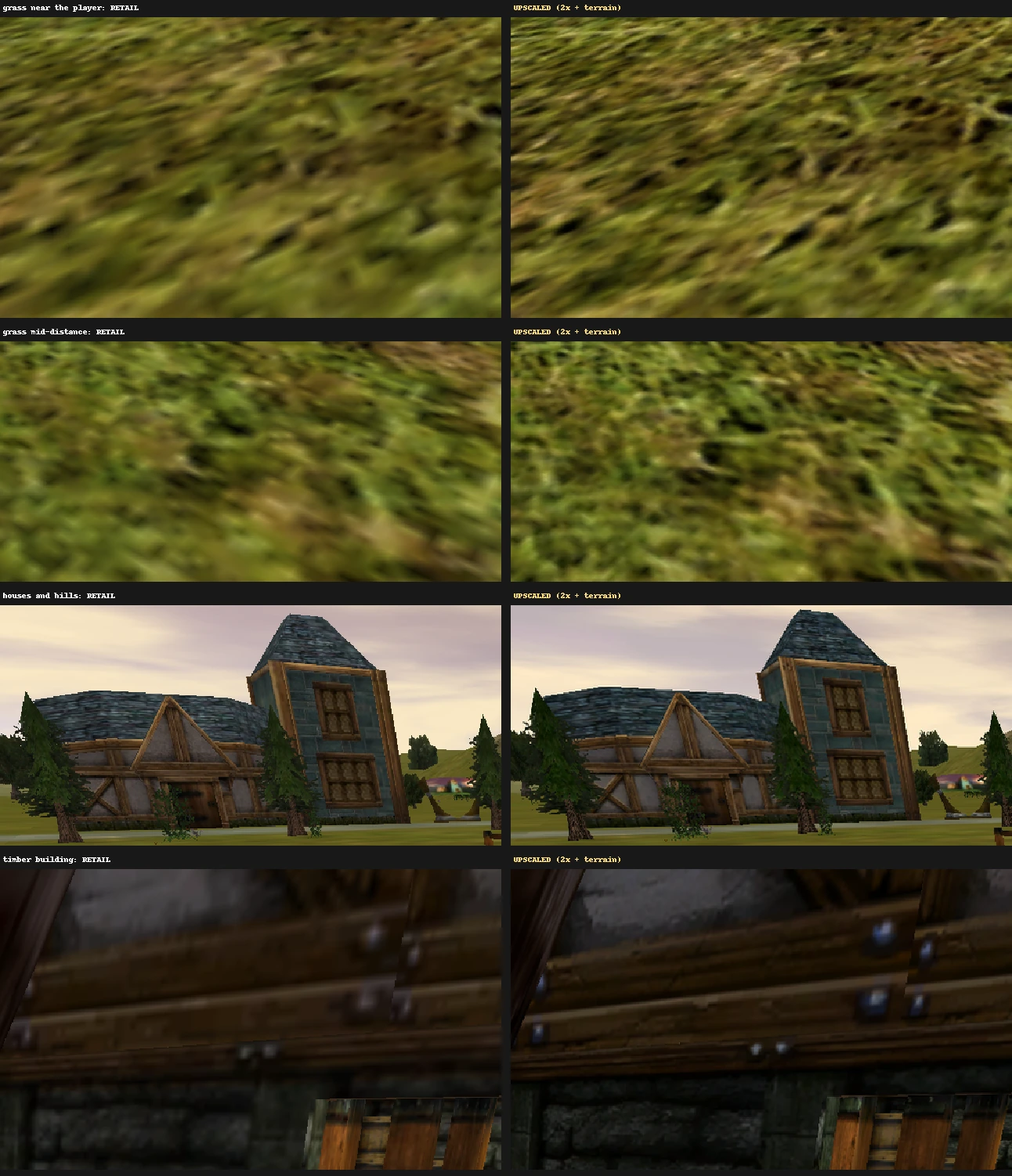
The ground is upgraded too: individual grass clumps instead of a smear, all the way to the horizon, plus sharper roof slates and timber.
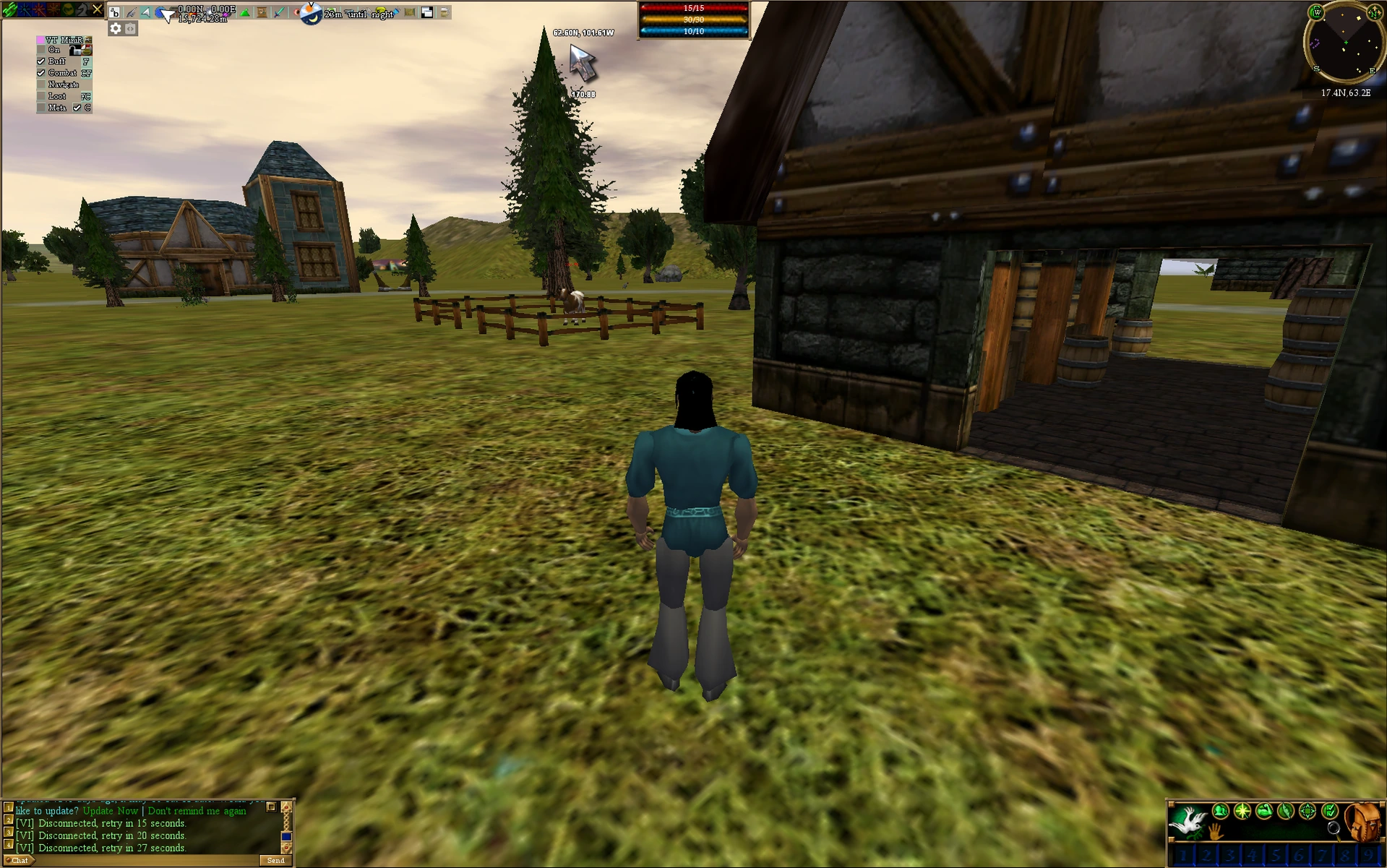
 OriginalAC-HD
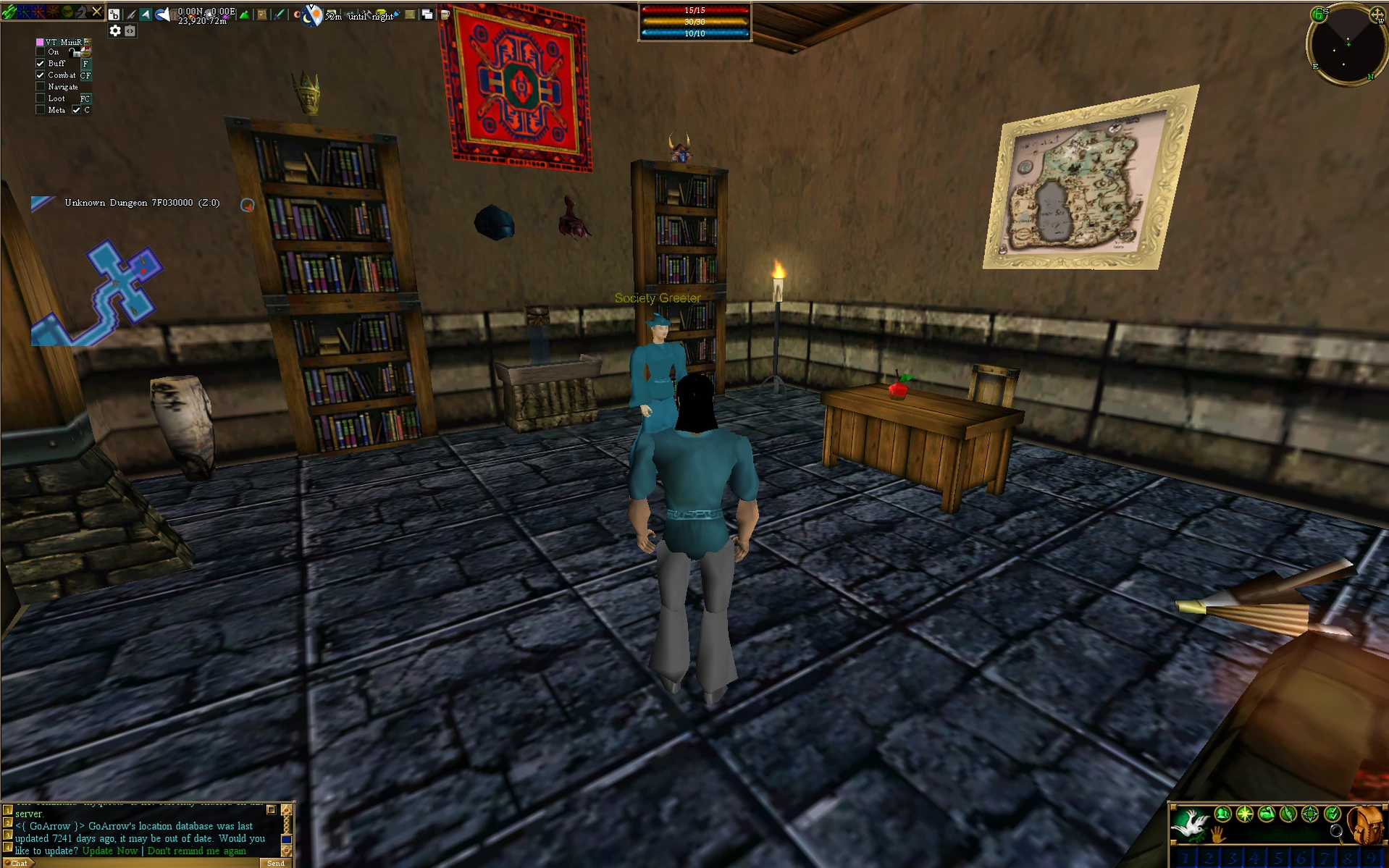
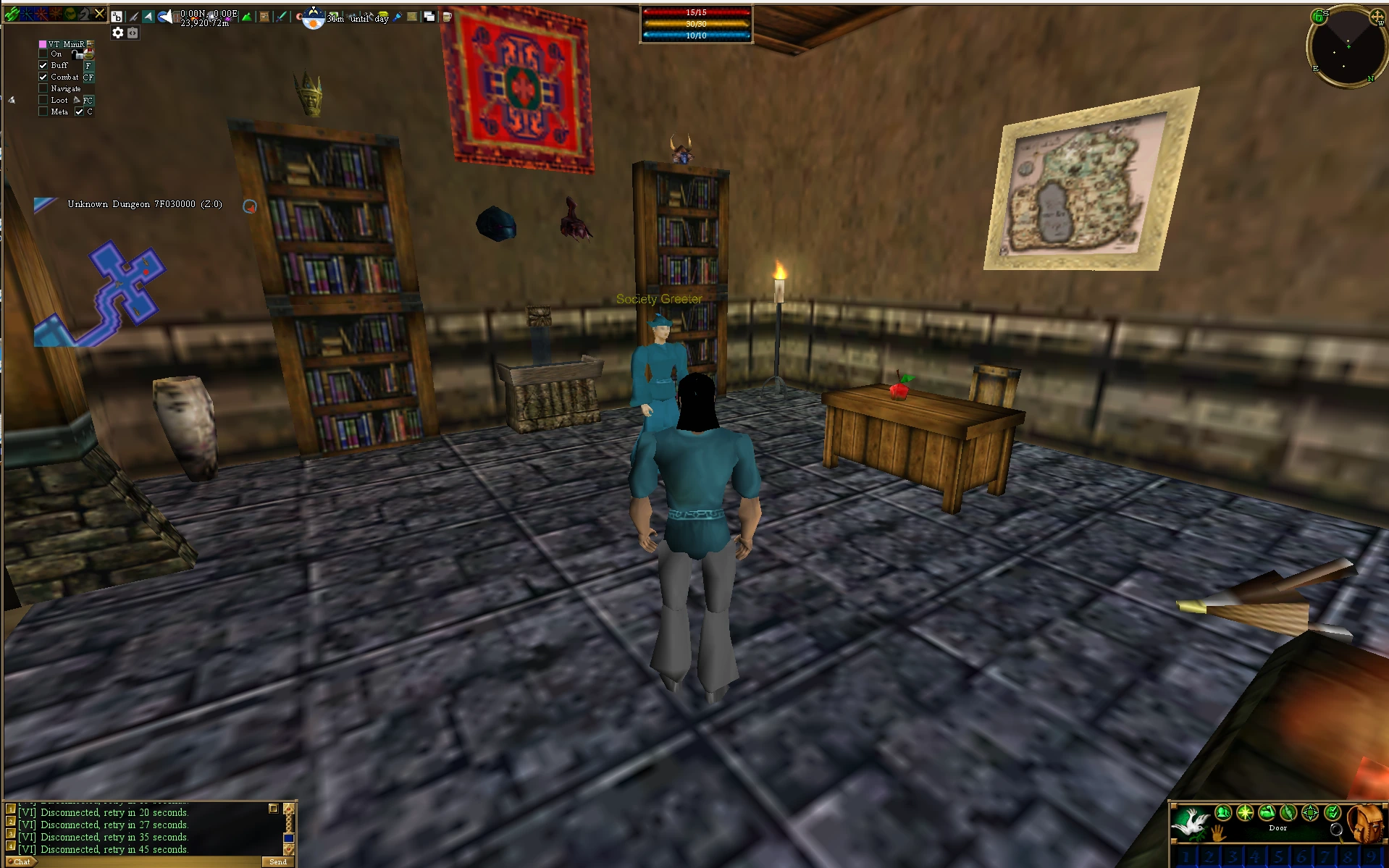
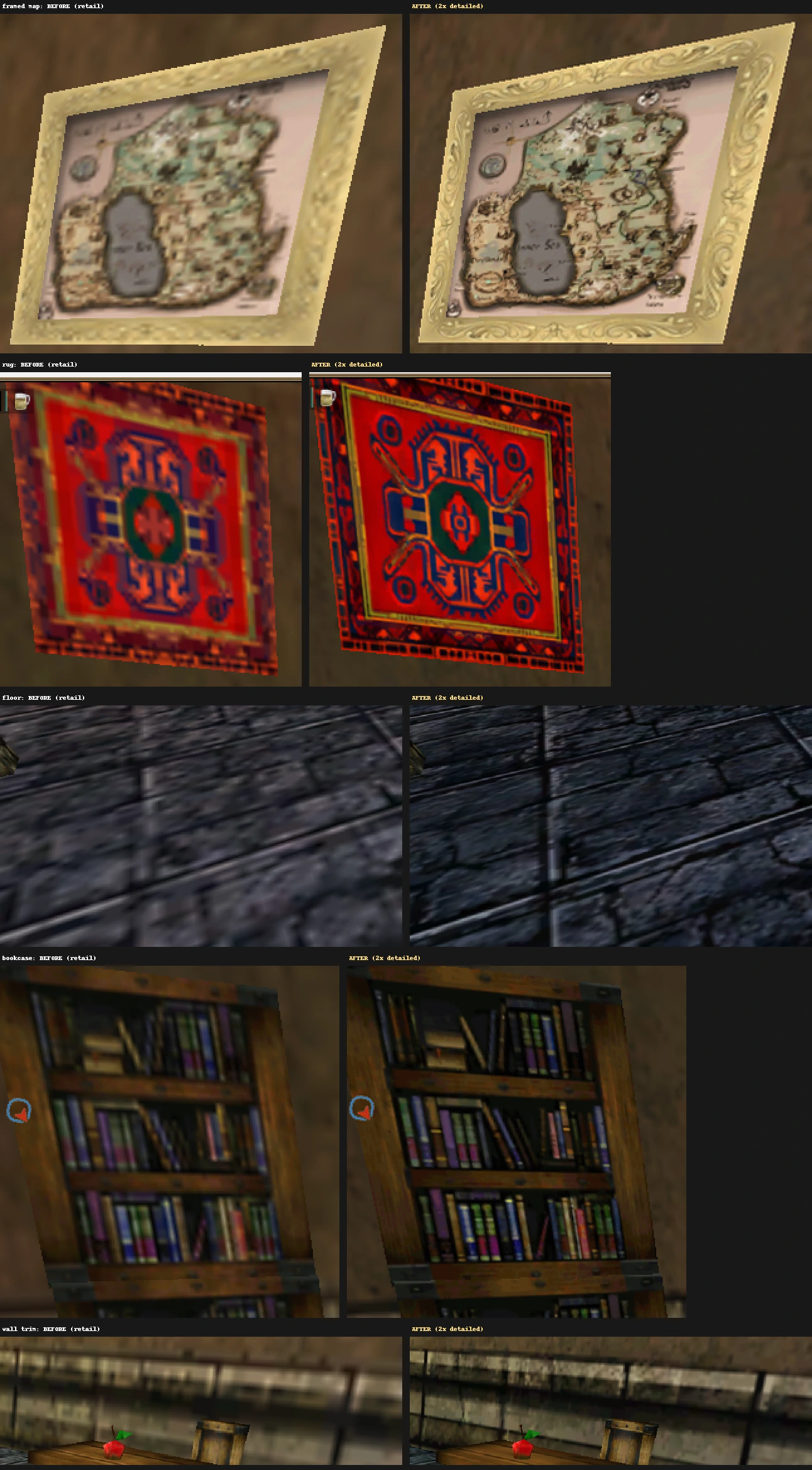
Where the upgrade is easiest to see: the map's coastlines and labels, the rug's pattern, every crack in the floor.
What's upgraded
Your settings
The in-game option Environment Texture Detail decides how sharp textures are. AC-HD shifts every step of it up one notch, so the two overlap. Drag along the scale to see which one fits your setup.
Landscape Texture Detail (the ground) follows the same steps: AC-HD at Medium matches retail at High. Tip: the game's overall "Very High" preset only sets Environment Texture Detail to High, so pick Very High yourself to get the high-res textures.
Install
The download is a complete set of game files in one folder, HD DATs. Use it straight from that folder in Vitaeum, or copy it over your game files for ThwargLauncher.
Documents\AC-HD. Vitaeum reads the files from there.HD DATs.HD DATs, and save the row.Want retail and HD side by side? Leave the default on a retail set and give your HD rows the HD DATs folder. Each login uses its own row's files, so both can be logged in at once.
HD DATs into your Asheron's Call folder (usually C:\Turbine\Asheron's Call) and choose Replace.To go back, copy the four files from AC-Retail-DATs over them the same way.
Need the original files? AC-Retail-DATs is a clean set of all four end-of-retail dat files: a second set for Vitaeum, or a way back if your originals are missing.
Questions
Yes, on any server that runs the end-of-retail game files, which is nearly all of them. AC-HD keeps every version number and all gameplay data identical to end of retail. Servers that ship their own custom files still need their own files.
No. Everything happens on your PC. Server admins don't need to do anything, and other players see no difference.
No. Only how textures look. Items, creatures, spells, maps and everything else the game logic uses are untouched.
Areas take a moment longer to load the first time you visit them, and the game uses more memory: about 1.6 GB in busy outdoor areas, compared with about 1.2 GB. That's well within what the client can use (4 GB). If your framerate drops, lower Environment and Landscape Texture Detail one step: AC-HD at Medium costs about the same as retail at High. See Where AC-HD fits.
In Vitaeum, point the launch row back at your retail folder. With ThwargLauncher, download AC-Retail-DATs and copy its four files into your Asheron's Call folder, replacing the HD ones.
With Vitaeum it changes nothing in your game folder: Vitaeum reads the HD DATs folder where you extracted it. With ThwargLauncher, you copy the game files over your own, and only client_portal.dat and client_highres.dat actually differ from retail. There's nothing to run: no installer, no scripts, just data files. The download includes SHA-256 checksums, and the full source is on GitHub.
Each texture was upscaled with the Real-ESRGAN AI model, color-corrected against the original, and packed back into the game's own formats. The outdoor ground needed special handling to fit the client's terrain blending. The whole process is documented on GitHub.
Switch to retail textures and see whether it happens again. If it only happens with AC-HD, report where you were and what you were doing on the GitHub issues page. Rare crashes when portaling into very busy towns also happen on the original textures.
Free, end-of-retail compatible, and easy to undo.